Content Quality
On-page titles and headings
Understand how a page title, main heading and subheadings work together to describe the answer readers will find.
A page’s search title, main heading and subheadings should describe the same answer from different viewpoints. The search title helps someone choose a result, the visible main heading confirms where they have arrived, and subheadings help them find the detail they need. Clear wording cannot compensate for an answer the page does not provide.
Give each element a job
The HTML <title> element supplies title text to browsers and is one source Google may use for a clickable title link. The H1 is the page’s main visible heading in this article pattern; lower-level headings label sections. Google uses a number of different sources to automatically determine title links.
Element / Useful check
- Search title
- Does it accurately distinguish this page from nearby results?
- Main heading
- Can a visitor immediately identify the page’s subject?
- Subheadings
- Can a reader predict what each section answers?
Start with the page’s actual content. A title promising prices needs usable, current price information; a heading promising a comparison needs meaningful differences. Keep a condition such as limited service coverage close to the claim it qualifies.
Google recommends descriptive, concise text in the <title> element. There is no fixed length limit, but Google may truncate the title link to fit the device width. A title that is too long can therefore lose some of its wording in search results, even though the page’s title element contains the full text.
Each page should have distinct title text that describes its own content. Reusing boilerplate titles makes it harder for people to distinguish pages, particularly when several results from one site appear for the same query.
Add a descriptive term only when it helps identify the page; repeating the same words or phrases can look like keyword stuffing rather than a useful description.
A site name can help identify a page, but repeating a long brand description in every title can make titles look repetitive. Google notes that a home-page title can be a reasonable place for additional information about the site, while repeated results may be clearer with less branding in each title. The page-specific subject should remain easy to recognise.
Keep the promise consistent
The title and H1 can use different words. For example, a page titled ‘What to bring to an equipment assessment’ might open with the heading ‘Prepare your item for assessment’. Both work if the page gives that preparation advice. If the page only offers a booking form, neither promise fits.
Keep the page’s main heading visually distinct from banners and other prominent text. One clear article H1 is a useful editorial convention.
Give each section a distinct purpose. A heading such as ‘What information should you provide?’ helps a reader more than another repetition of ‘Equipment assessment’, provided the section answers that question.
Use H2s for main sections and H3s for genuine subsections. W3C guidance recommends heading levels that reflect nesting and headings that describe their topic or purpose.
A heading can be brief if it still gives an appropriate cue to the section’s topic or purpose. W3C guidance on headings and labels says they do not need to be lengthy; clarity and usefulness matter more than making every label a full sentence. This helps keep section navigation scannable without reducing headings to vague labels.
Creating effective on-page titles and headings
- Define the page’s core answerEnsure the content delivers the promised information—e.g., if the title mentions ‘pricing’, include current, visible prices.
- Write a concise, unique titleUse the <title> element to create a clear, distinctive headline for search results. Avoid repetition across pages.
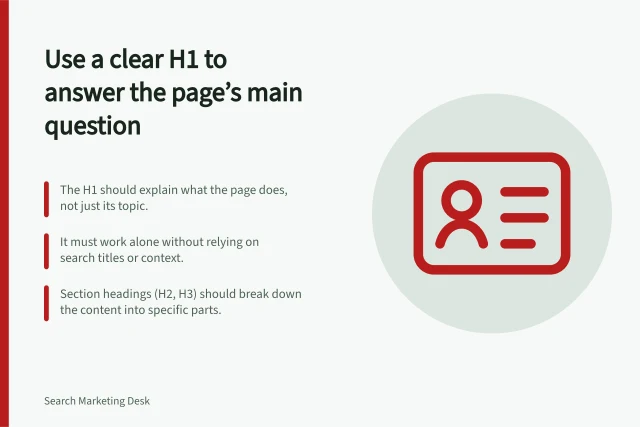
- Choose a clear H1Make the main visible heading match the user’s expectation from the search result. Use natural language.
- Structure with logical subheadingsUse H2s for major sections, H3s for subsections. Ensure each heading describes its section’s purpose.
- Review consistency and accessibilityCheck that all headings are properly nested, readable, and help users—including those using screen readers—navigate the page.
Make headings work as labels and structure
Headings help people understand both what a section covers and how it fits into the page. W3C guidance says a heading with an equal or higher rank starts a new section, while a lower-ranked heading starts a subsection. Ranks run from H1 to H6; skipping a level, such as moving directly from H2 to H4, can be confusing.
The content heading can be the page’s H1 even when it appears after navigation. W3C’s examples distinguish the main content heading from site regions such as navigation, a sidebar and a footer; structural headings sit at a lower rank. In fixed page regions such as sidebars, keeping ranks consistent across pages can matter more than matching the content-area hierarchy.
Descriptive wording and correct structure are related but separate checks. W3C guidance says headings should describe their topic or purpose so people, including those with cognitive or visual disabilities, can find information and understand how it is organised. Correctly marking up a heading also helps convey relationships between content sections.
Check the page as a whole
Read the title, H1, subheadings and opening together. They should lead to the answer a visitor expected and make important limits visible.
Inspect the rendered page as well as the draft: a site template can affect the final title element, visual priority and heading structure. A later movement in search results calls for a separate review of the title change and its wider context.
In this guide
- Writing a search title that matches the pageDraft an accurate page title from the answer the page gives, keep important limits visible and check the final title element.
- Choosing one clear main headingChoose a main heading that identifies the page’s answer, aligns with its title and remains clear in the rendered layout.
- Using subheadings to explain the topic rather than repeat keywordsReplace repeated topic phrases with section headings that describe the answer beneath them and help readers navigate.
- Reviewing title changes without assuming every fluctuation is caused by themRecord a title edit, compare the same page and query context in Search Console, and check other causes before attributing a change.