Ecommerce Search
Part of Ecommerce organic search
Structuring category pages around shopping intent
Define a useful product range, show meaningful choices and make category-to-product browsing work for shoppers and crawlers.
A useful category page helps shoppers understand a range, narrow it by meaningful differences and reach suitable products. Begin with the choice the shopper is making. A category name and generic copy cannot do that work alone.
Structuring Category Pages for Shopping Intent
- Define the product range with a clear inclusion ruleEnsure categories include only products that meet specific criteria (e.g., compact desk-lamps for small work surfaces).
- Display meaningful choices near the top of the pageShow headings, brief descriptions, and easily scannable product lists with key distinctions like size, material, or compatibility.
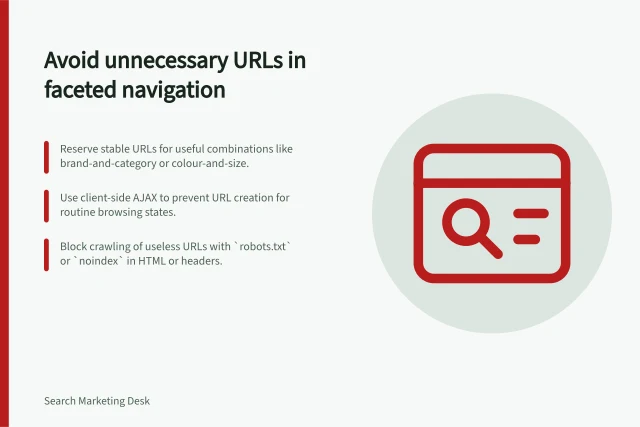
- Use filters as browsing controls, not just search toolsApply real catalogue attributes (e.g., colour, size) as filter labels; avoid creating dedicated pages for every combination unless necessary.
- Ensure long ranges are navigable and crawlableUse distinct URLs for each pagination page and provide crawlable links to next pages; avoid relying solely on 'load more' without proper indexing.
- Review the page as a shopping taskTest the category by asking someone to find a product matching a specific requirement—use any confusion to improve clarity.
Define what belongs in the range
Write a clear inclusion rule. A compact desk-lamp category, for example, could include lamps intended for small work surfaces; a broader desk-lamp category contains the full range. If two categories would show almost the same products and answer the same question, reconsider whether both pages are needed.
The category explains the range and offers comparison paths. Individual product pages carry precise specifications, availability and purchase information. A buying guide can explain how to choose, but shoppers ready to compare stock still need a browsable range.
Broad vs Narrow Category Pages: Key Differences
- ScopeBroad: full range of desk lamps; Narrow: compact lamps for small work surfaces
- Inclusion RuleNarrow categories require strict criteria; broad categories allow wider interpretation
- Use CaseNarrow: targeted shoppers; Broad: exploratory shoppers seeking variety
- Need for Dedicated PagesOnly create standalone pages for subsets with stable product ranges and clear purpose
Show choices shoppers can use
Put a clear heading, a brief range description and an easy-to-scan product list near the top. Show distinctions such as size, fit, material or compatibility when they apply. Filter labels should reflect real catalogue attributes.
Treat filters as browsing controls first. Colour or size may help a shopper narrow a range without giving every combination its own search landing page. If a subset warrants a dedicated page, give it a stable purpose, a maintained product range and a route from the surrounding category structure.
Google recommends links from menus through categories and subcategories to products. Products reachable only through an on-site search box may not be found by crawling alone. Check that category links lead to the intended product pages.
Make long ranges navigable
If a category spans several result pages, give each page a distinct URL and a crawlable link to the next one. A 'load more' control can still serve shoppers, but make sure the Google crawler can find all the content you want indexed.
An empty category also needs a decision about how it should be treated in search, especially if it has been removed from on-site search and browsing.
Review the page as a shopping task
For a broad and a narrow category, record the inclusion rule, visible products, useful filters and path to a product. Ask someone to find an item meeting a specific requirement. Use any point where they cannot find or understand the range to guide the next change.